What's in it, in plain words
No feature names we invented to sound clever. Below is each part of the system, what it does, and a screenshot of the real screen. All screenshots are from our working build and use test data — that's why names and phone numbers are blurred.
01
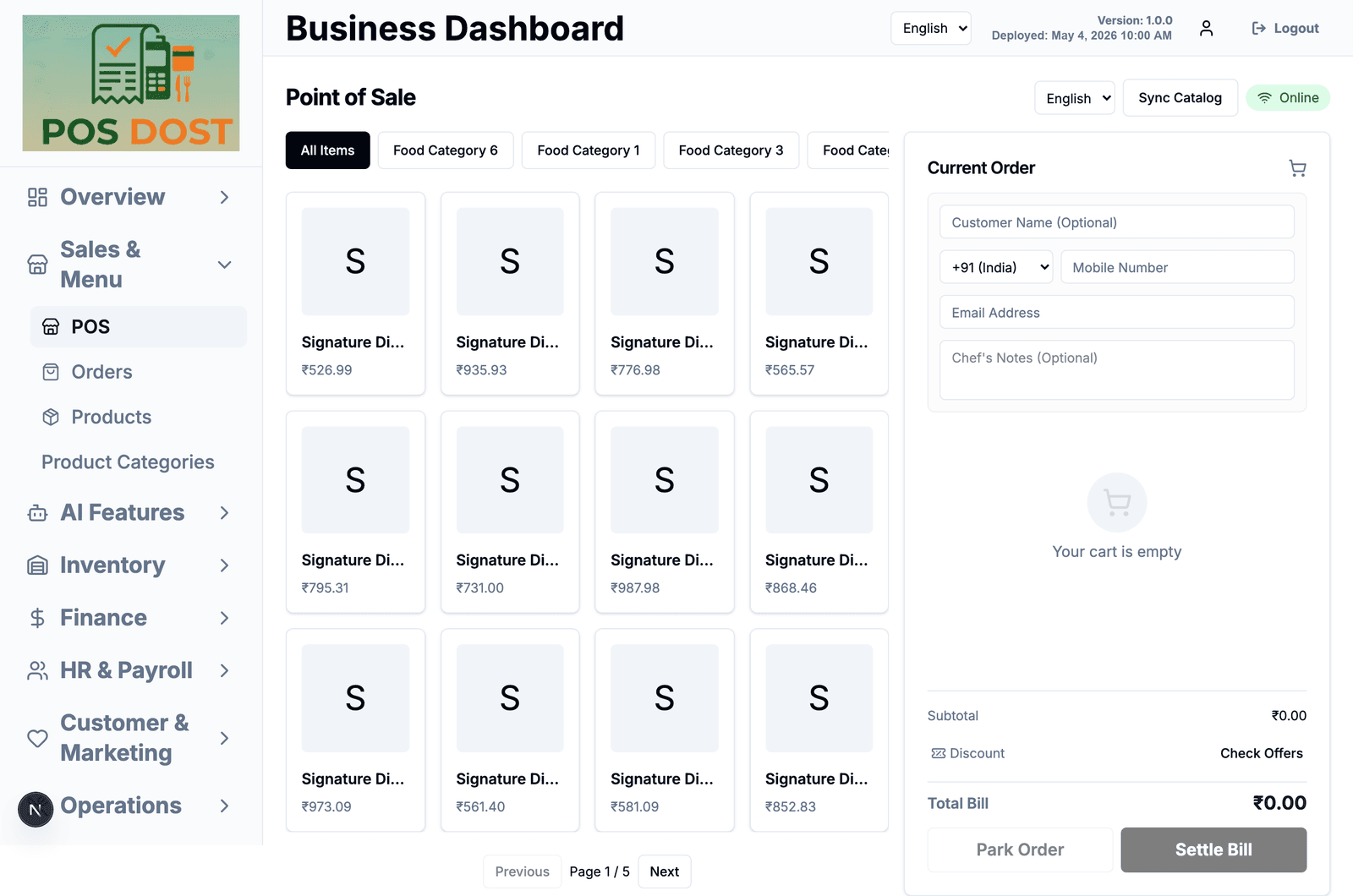
Billing counter
The screen your cashier lives on. Tap items, add the customer if they want a bill on their phone, settle in cash, card or UPI.
- Items grouped by category, with search and paging so a long menu stays usable
- Customer name, mobile and email are optional — a walk-in bill takes no typing
- Notes for the kitchen on any order ("less spicy", "no onion")
- Park an order and come back to it when the table is ready to pay
- Apply a discount or a running offer before you settle the bill
- Keeps billing when the internet drops, then syncs when it returns
02
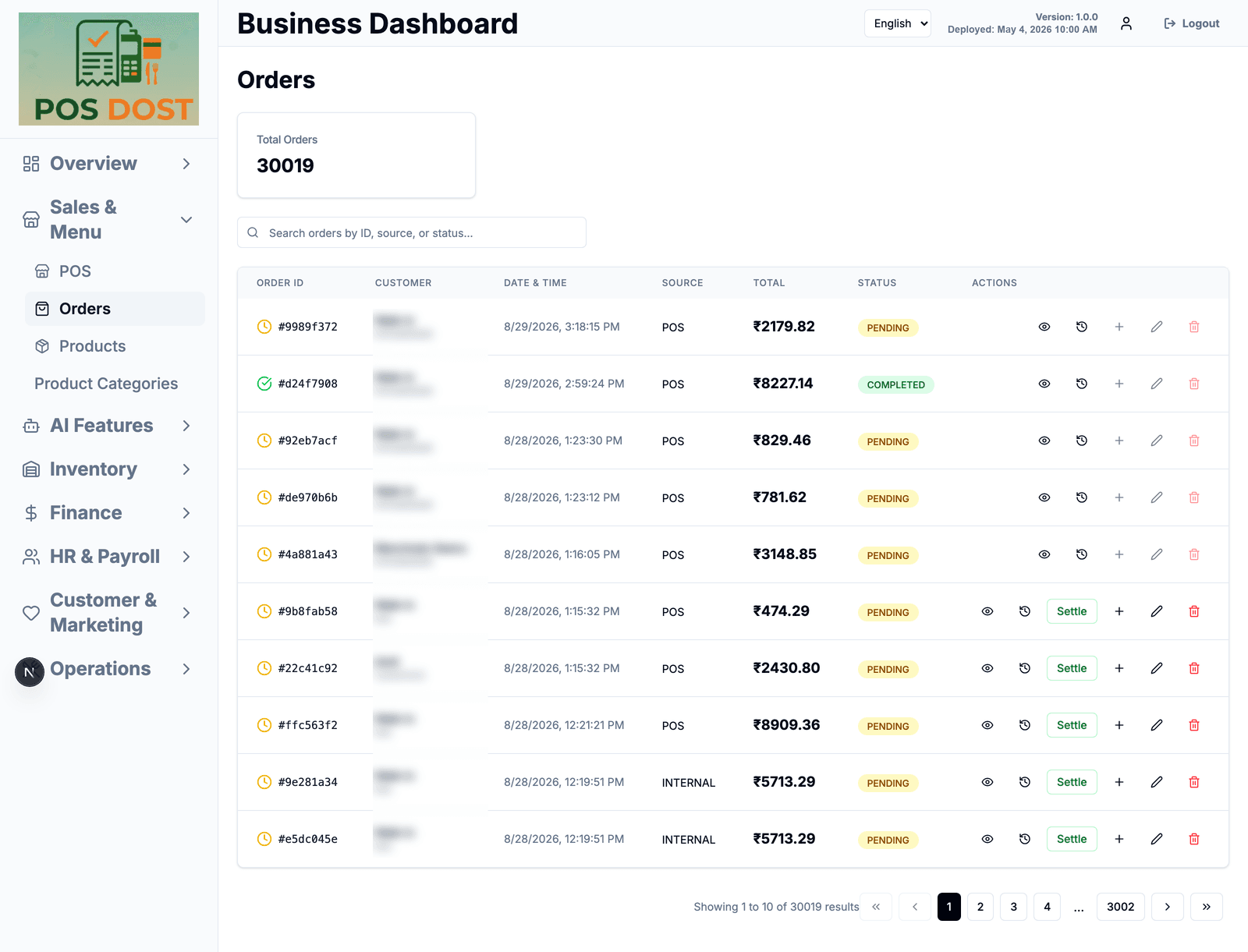
Orders
Every bill in one list — what is pending, what is done, what was paid how.
- Filter by status and date
- Open any order to see its items and payment
- Move an order forward without going back to the billing screen
03
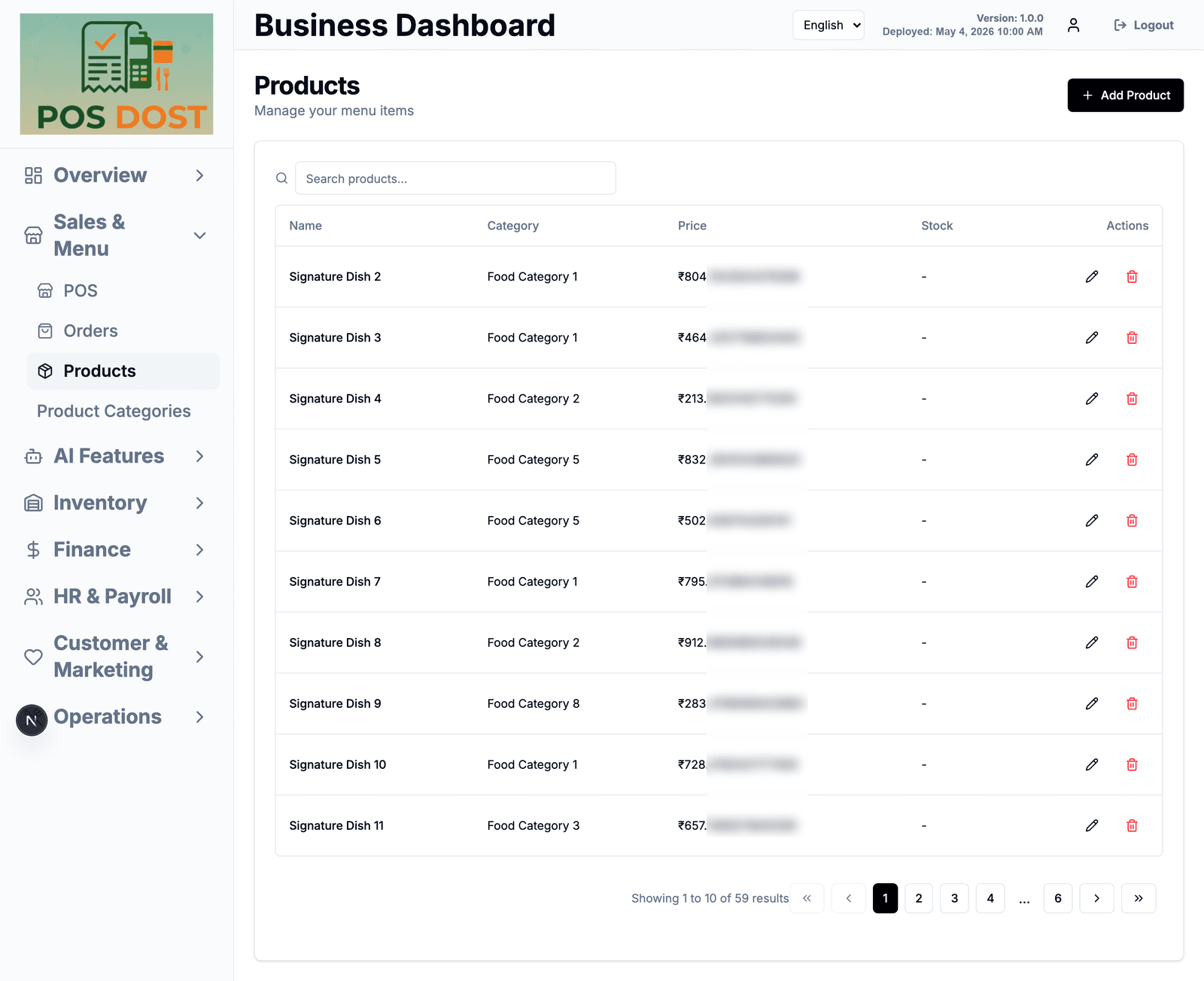
Menu & pricing
Your items and categories, edited in one place instead of five.
- Add, edit and retire items; set price and category
- Group items into categories that show up on the billing screen
- Search across the whole menu
04
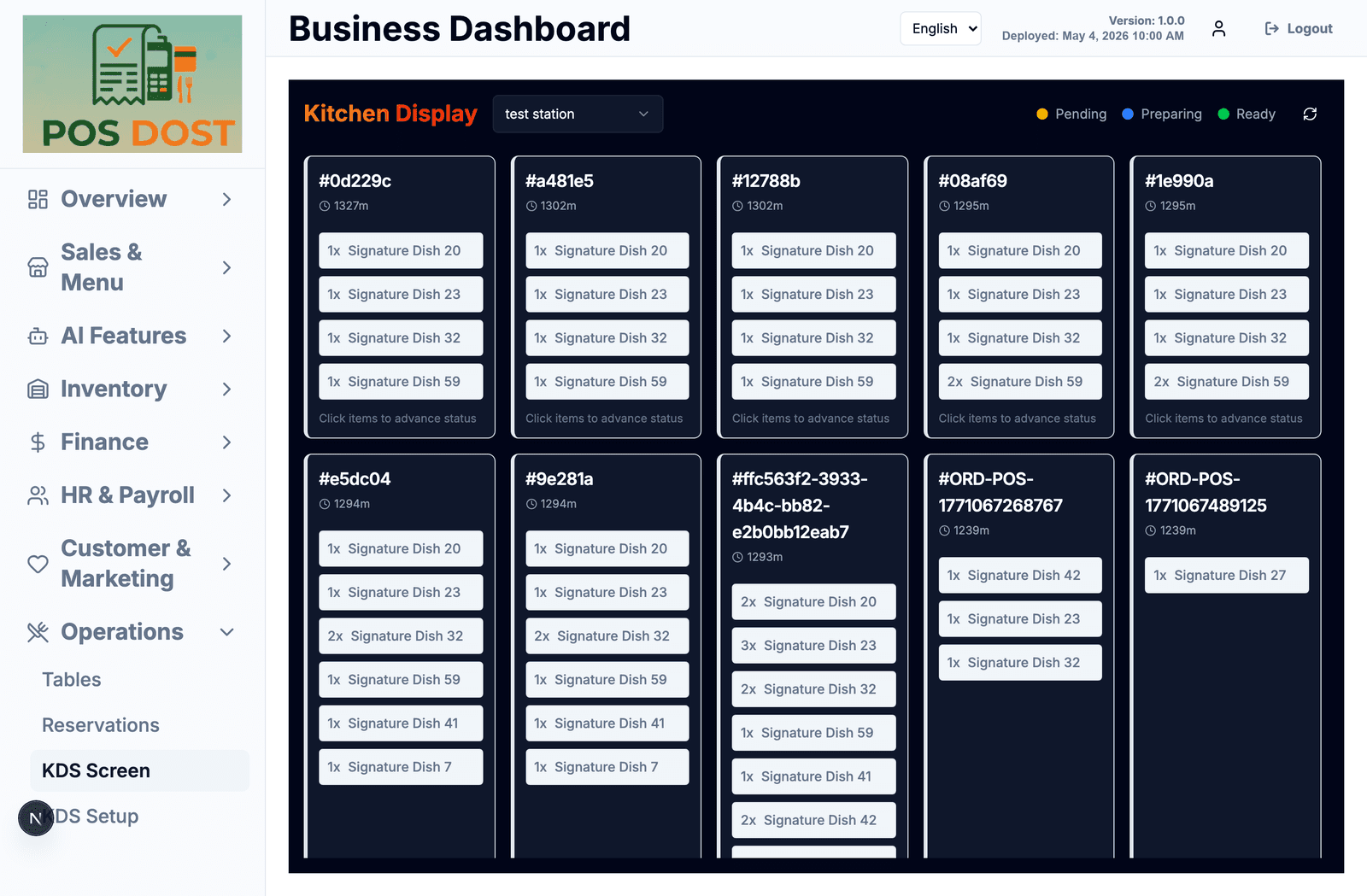
Kitchen display
A screen for the kitchen instead of a printer. Orders arrive as tickets and the staff taps items as they go.
- Pending, preparing and ready — colour coded
- Tap an item to advance its status; no keyboard needed
- Set up separate stations (tandoor, beverages, dessert) and route items to them
- Shows how long each ticket has been open
05
Tables & reservations
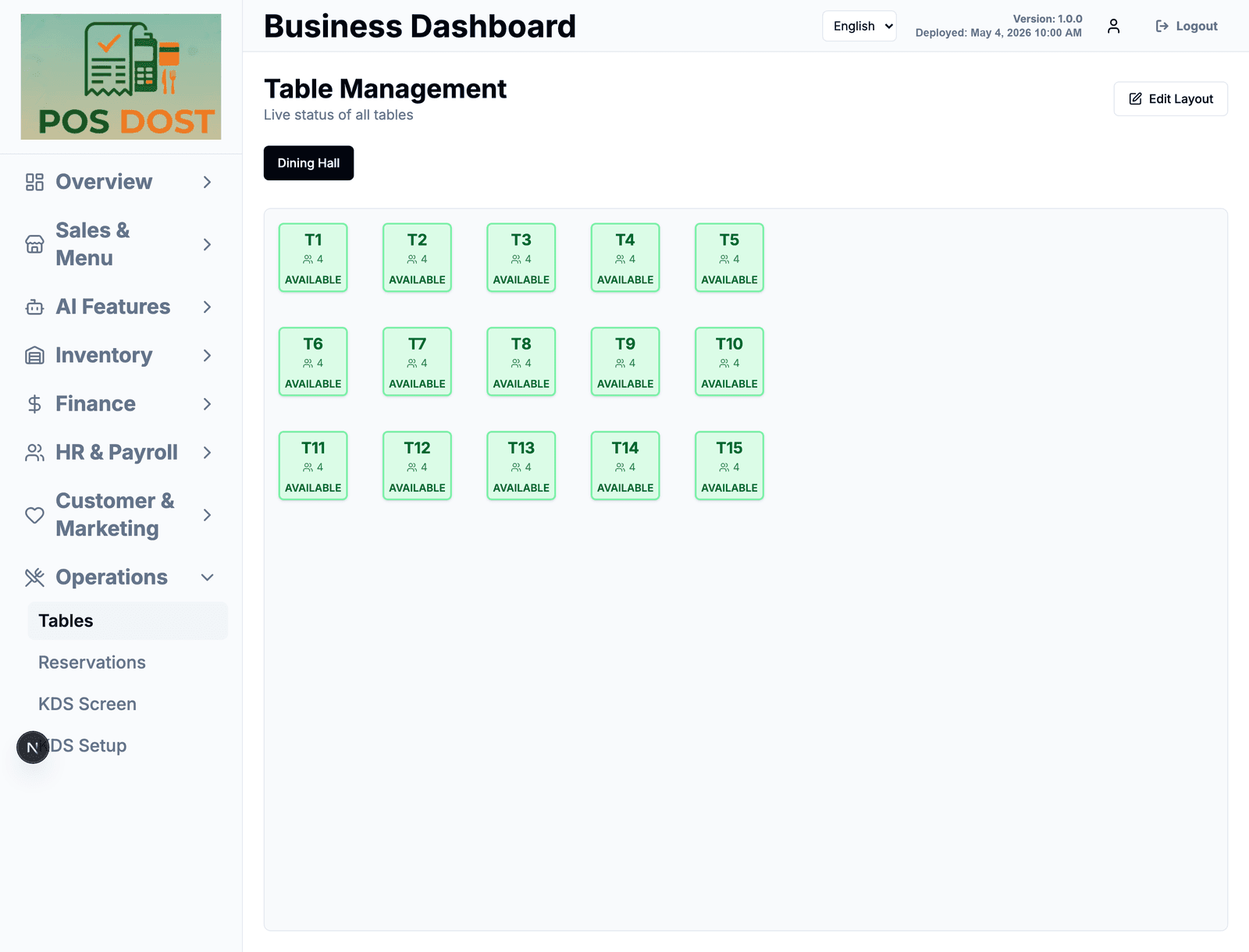
A live table board and a simple booking list. Only useful if you have a dining room — skip it if you don't.
- Tables grouped by area, each showing its seat count and whether it's free or occupied
- Edit the layout as you add or move tables
- Attach an order to a table
- Reservations with name, phone, time and party size — mark them checked-in or cancelled
06
Stock & recipes
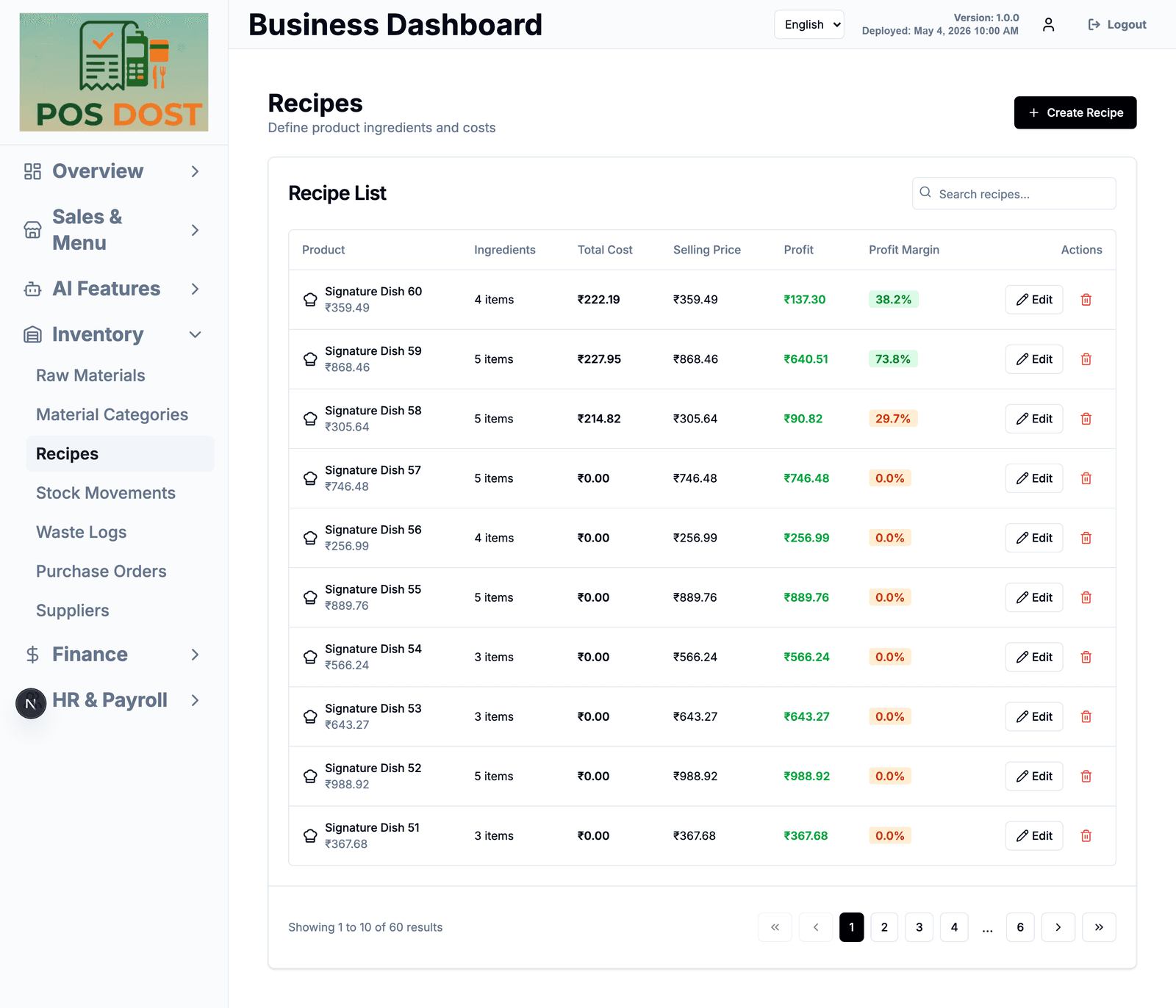
Where most food businesses lose money quietly. Track what you buy, what a dish actually costs, and what gets thrown away.
- Raw materials with unit, cost per unit, current stock and a minimum level
- A warning list of everything below its minimum
- Recipes: link ingredients to a dish so you can see its cost, profit and margin
- Stock movements — every in, out and adjustment with a reason
- Waste logs, so spoilage is a number instead of a feeling
- Purchase orders and a supplier list
07
Customers & loyalty
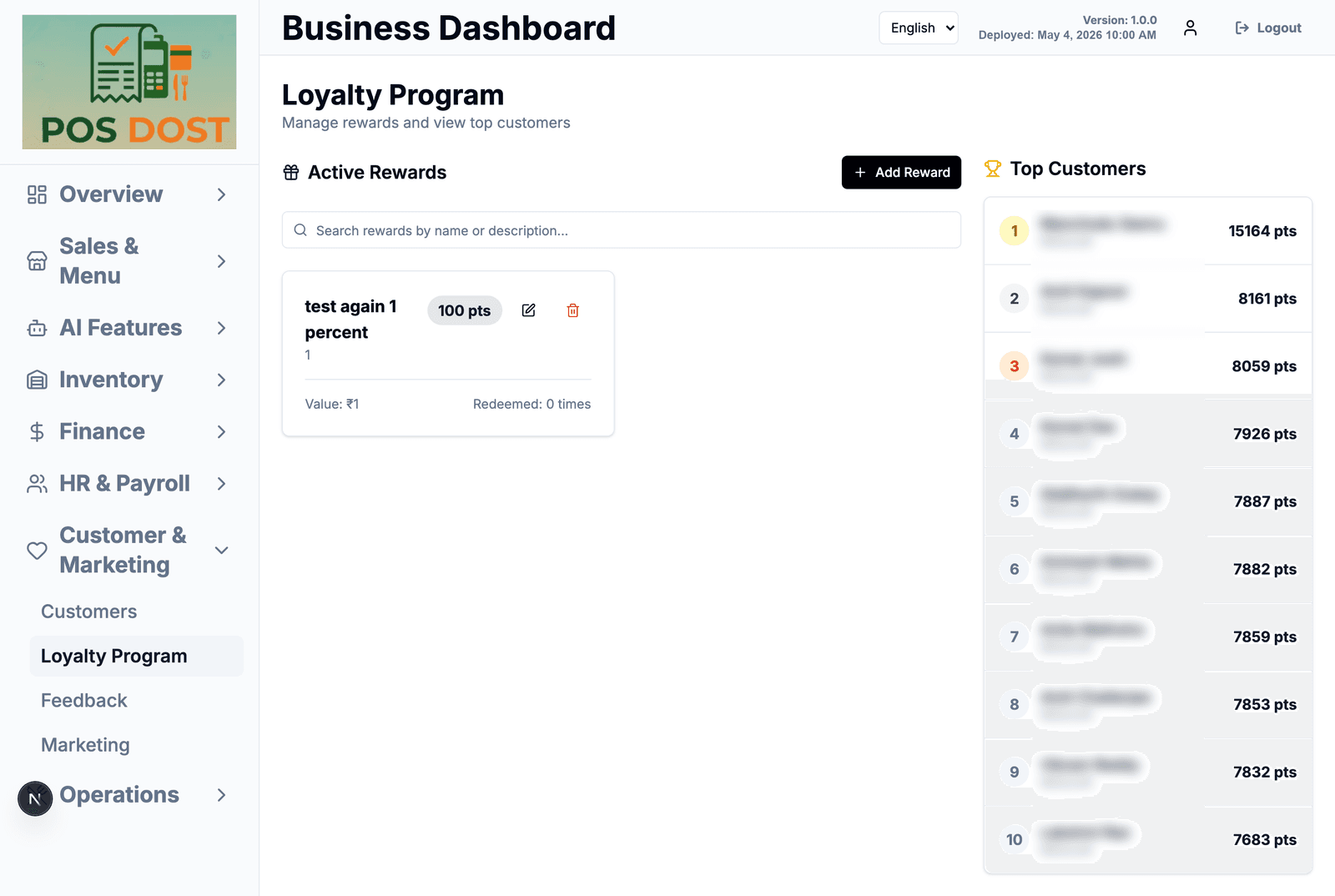
Who keeps coming back, and a points scheme you set up yourself.
- Customer profiles with phone, spend and order count
- Points earned per customer, with a top-customers list
- Create your own rewards and see how many times each was redeemed
- Collect feedback and read it in one place
08
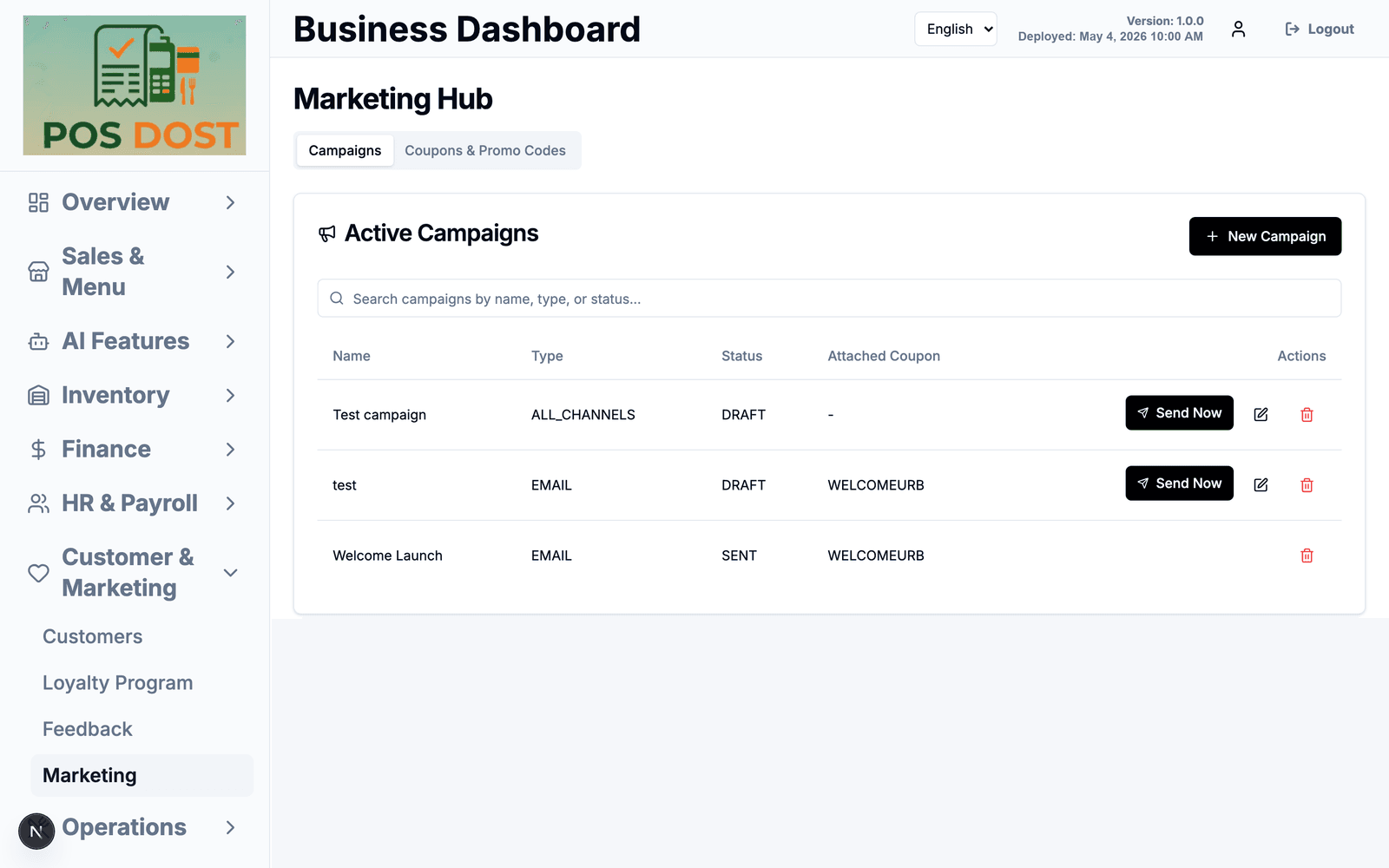
Campaigns & coupons
Send an offer to your customers and give it a code that works at the counter.
- Email or all-channel campaigns, saved as drafts until you send them
- Coupons and promo codes, attached to a campaign
- See which campaigns went out and which are still sitting in draft
09
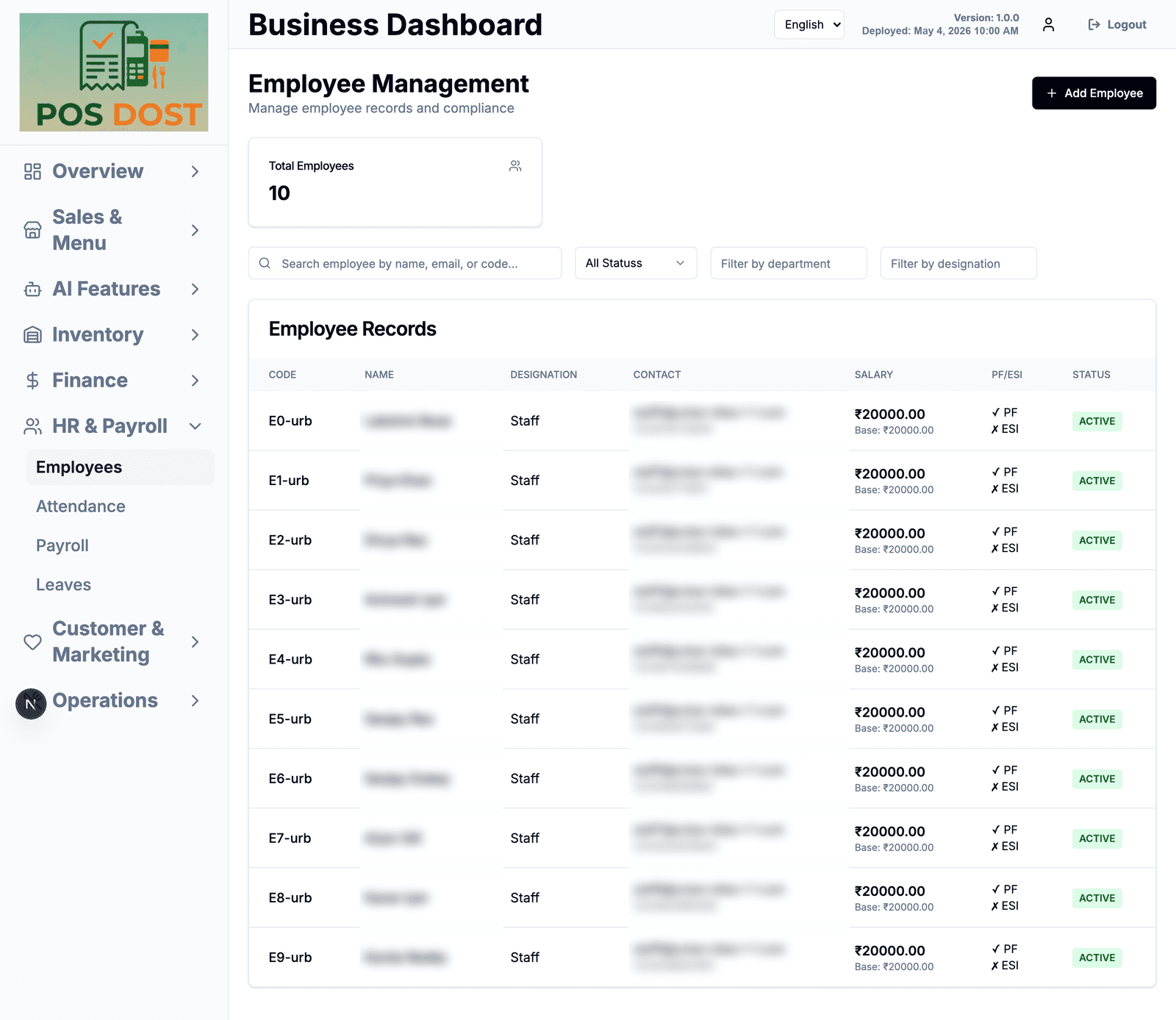
Staff, attendance & payroll
Employee records, hours and salary in the same system as the billing.
- Employee records with code, designation, contact and salary
- PF and ESI marked per employee
- Attendance and leave records
- Payroll runs based on those records
10
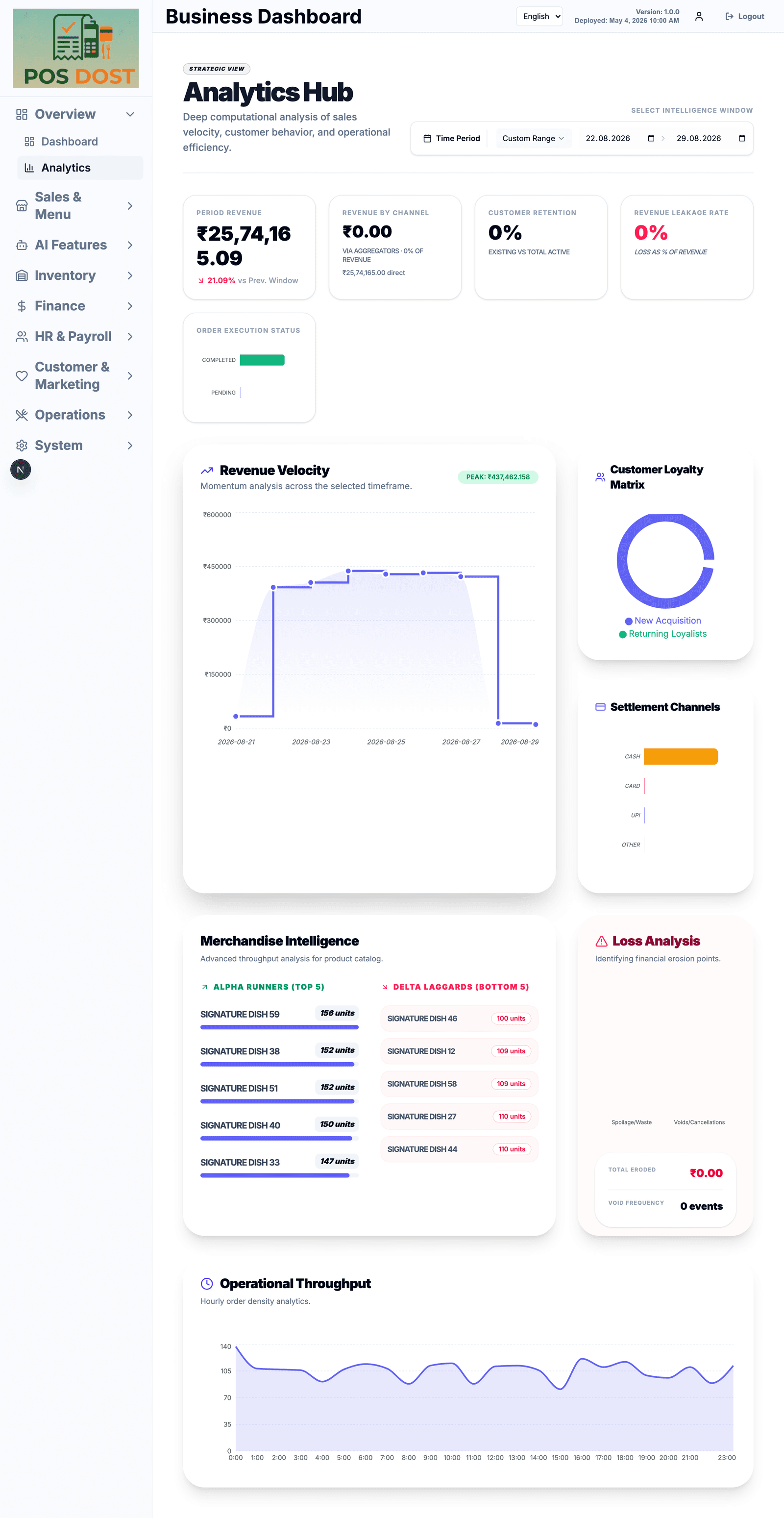
Expenses & reports
Sales on one side, spending on the other, so the month-end number isn't a surprise.
- Log expenses under your own categories
- Daily dashboard: revenue, pending orders, occupied tables, stock alerts
- Analytics over a date range — revenue trend, payment mix, best and worst selling items, busiest hours
- Waste and cancellations shown as a rupee figure
11
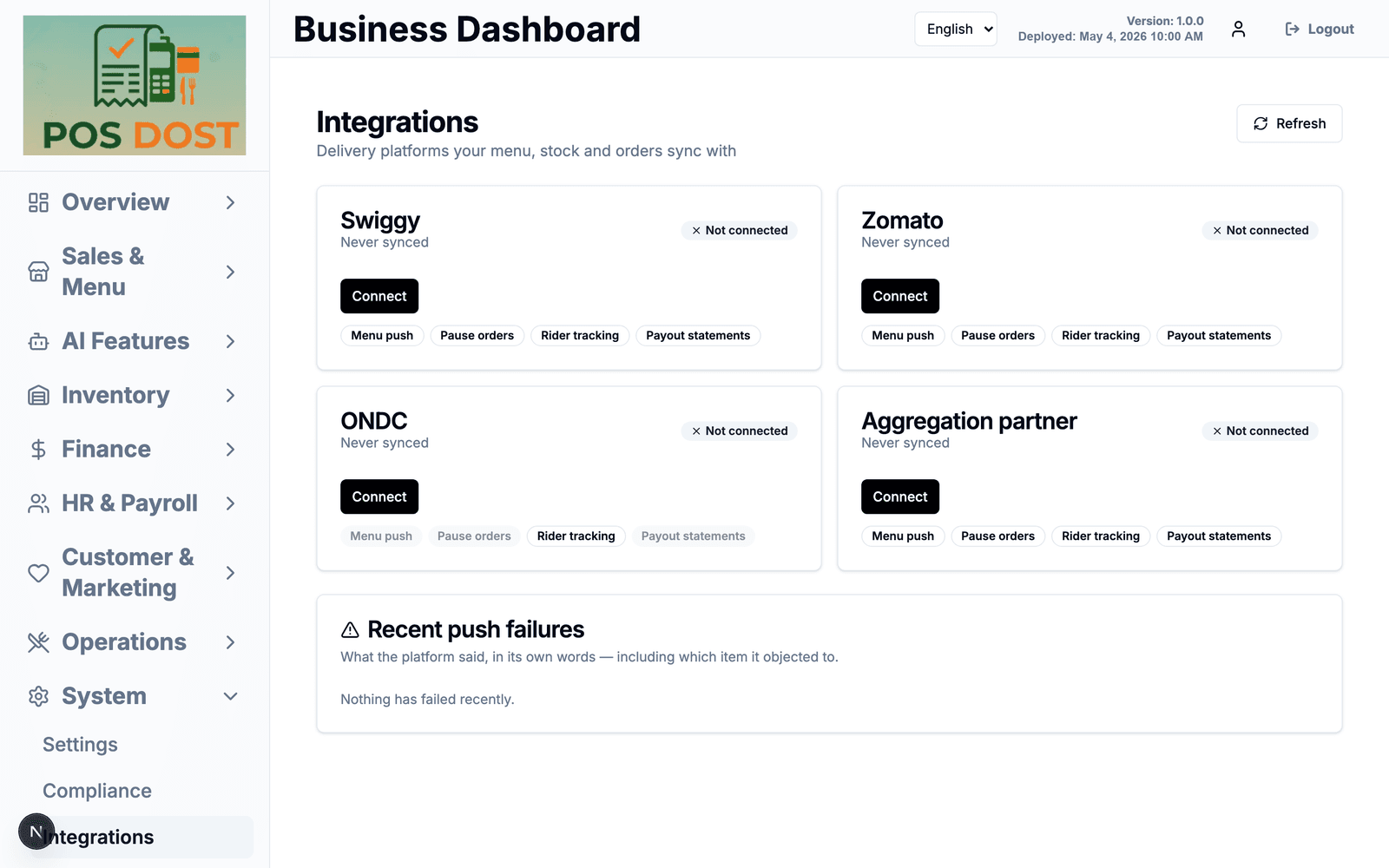
Delivery platforms
One place to push your menu out and pull orders in, instead of a separate tablet per platform.
- Built for Swiggy, Zomato, ONDC and aggregator partners
- Push menu changes, pause orders when the kitchen is swamped, follow rider status
- Pull payout statements
- When a menu push fails, we show you what the platform actually said and which item it objected to
12
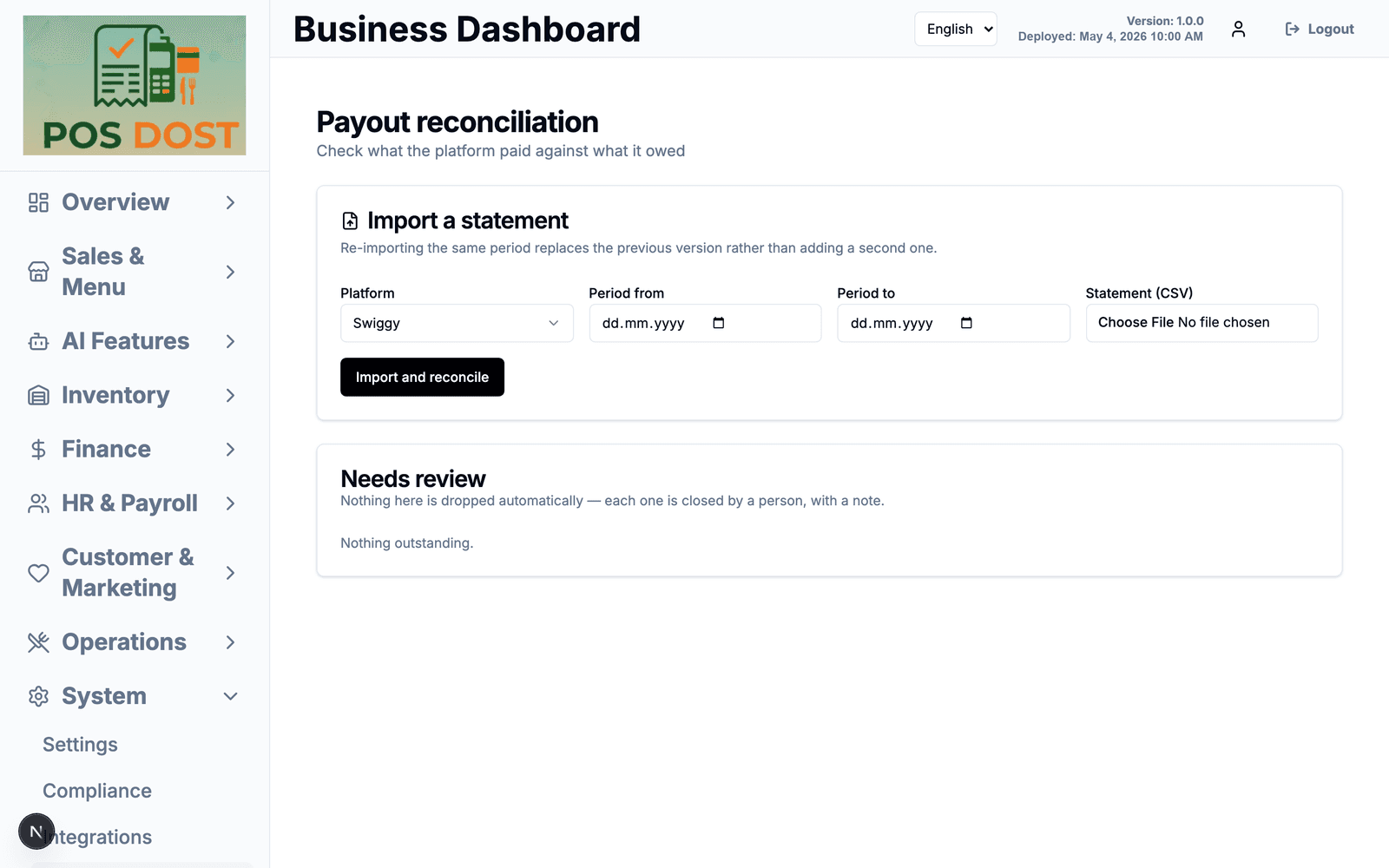
Payout reconciliation
Import a platform's settlement statement and compare it against what that platform owed you.
- Upload the statement CSV for a period
- Re-importing the same period replaces it rather than double-counting
- Mismatches land in a review list — nothing is written off automatically, a person closes each one with a note
13
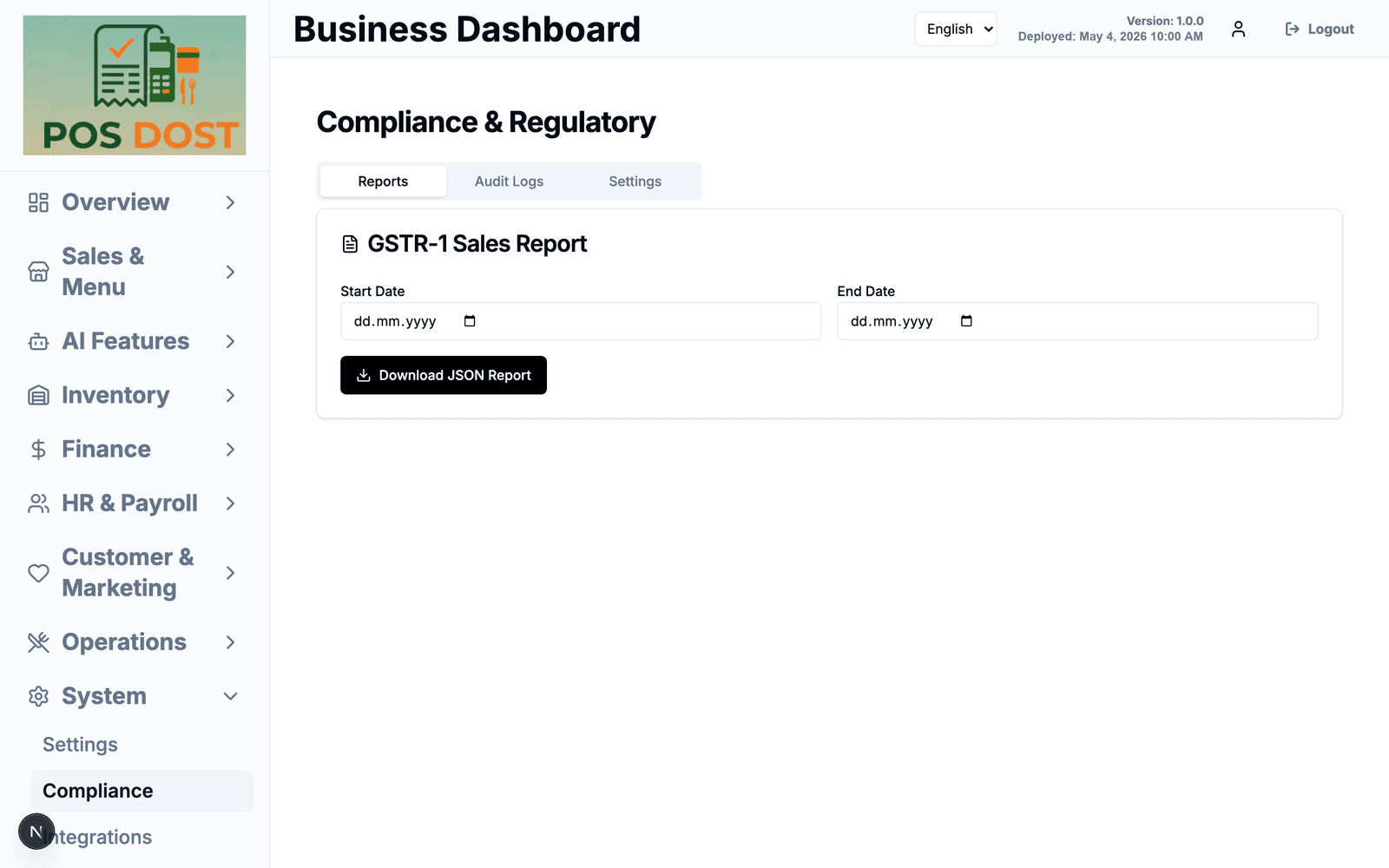
GST & records
The paperwork side, kept boring on purpose.
- GSTR-1 sales report for a date range, downloadable
- Audit log of changes made in the system
- Data and privacy settings in one place
14
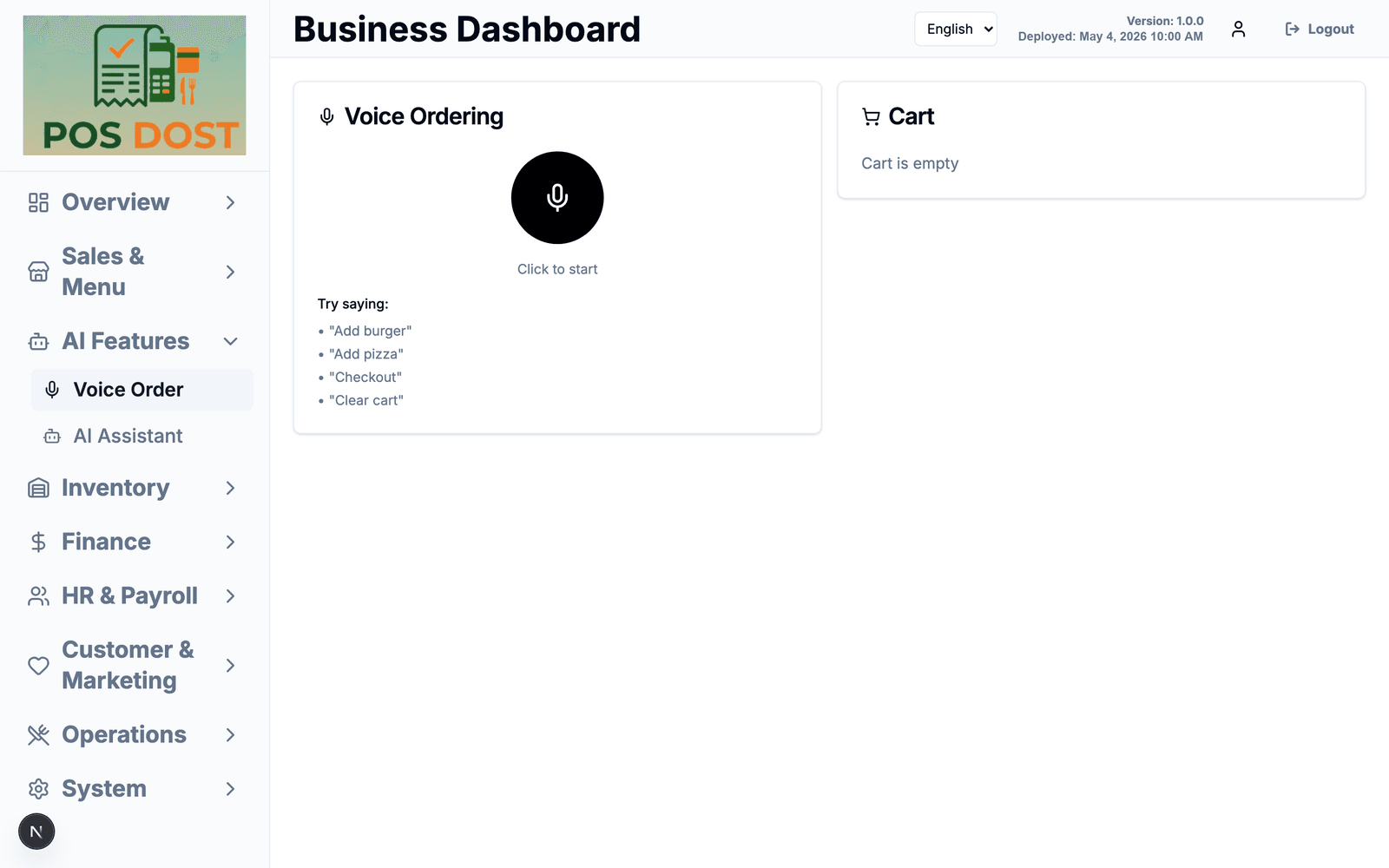
Voice ordering & assistant
Two experimental tools. We are being upfront: these are early and they are not the reason to buy this.
- Voice ordering handles short commands — "add masala dosa", "checkout", "clear cart"
- An assistant you can ask questions about your own numbers
- Both are optional and off to the side; billing never depends on them
15
Five languages
The whole app — not just the receipt — switches language. Your cashier doesn't have to work in English because the software does.
- English, Hindi, Tamil, Telugu and Kannada
- Switched from the top of any screen, per person — the counter can be in Tamil while the owner reads reports in English
- Covers the billing screen, the kitchen display and the back office, not just a few labels
16
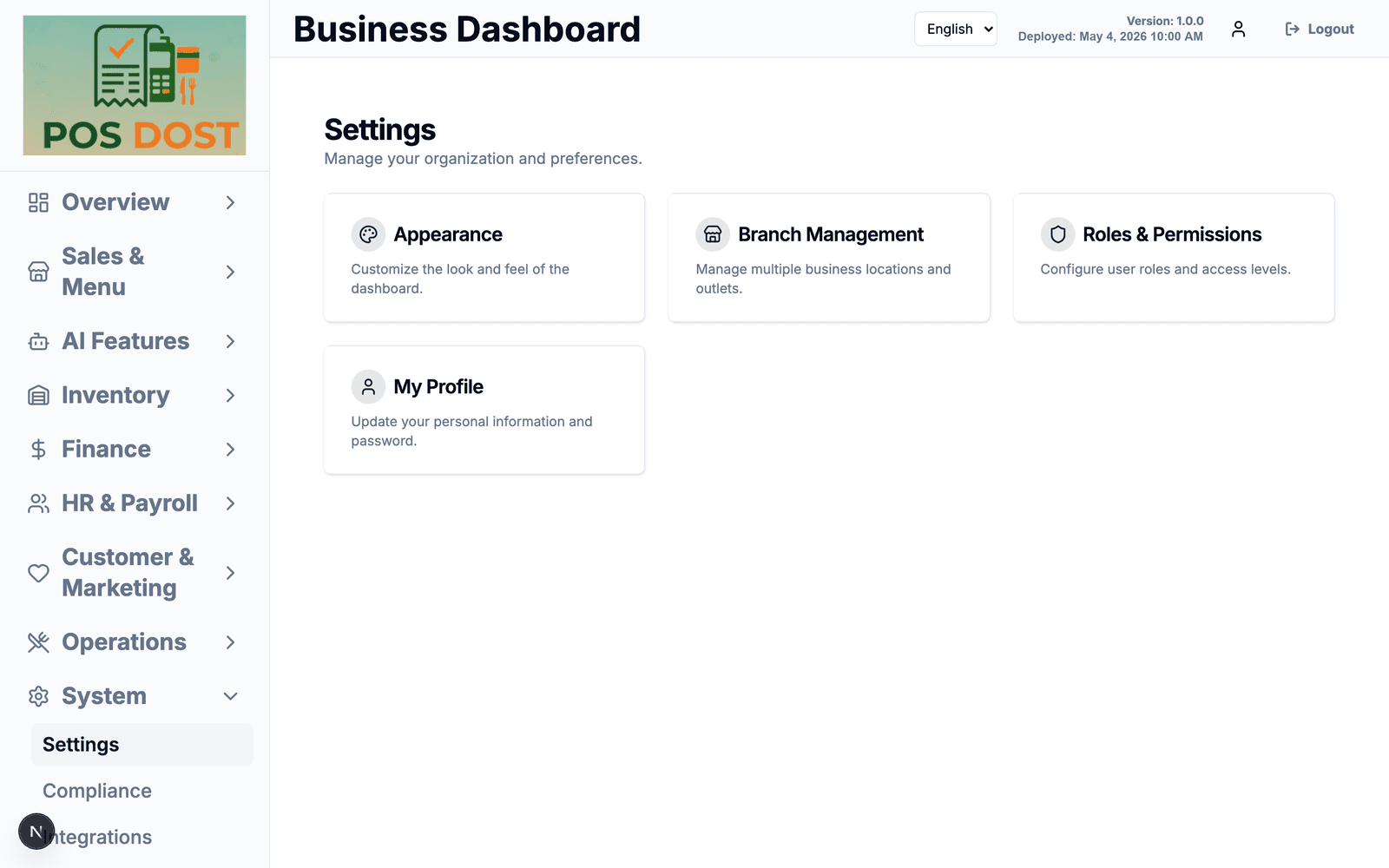
Outlets, roles & look
Set it up once for your business, not for a generic one.
- Multiple branches or outlets under one account
- Roles and permissions — a cashier does not need to see payroll
- Change the dashboard's look; several built-in themes
Want to run your kitchen on this?
We're taking on a small number of pilot businesses while we finish testing — free to use, set up with your own menu. And if something your kitchen needs is missing from the list above, that's exactly what we want to hear before launch.
Join the pilot